1.7 Land Configuration
WhoBank Admin
WhereSidebar › Land Configuration
Permissiontenant_config.manage
Screen titleLand Measurement Unit Setup
Land Configuration sets the unit your bank uses to record land area. Every land parcel, area field and area-based calculation in the workspace uses this one unit, so it is the same for every branch.
This setting locks permanently
Once any Credit Assistant saves the first land parcel in your bank, this setting is locked and can no longer be changed. Choose it before farmer onboarding begins.
The screen
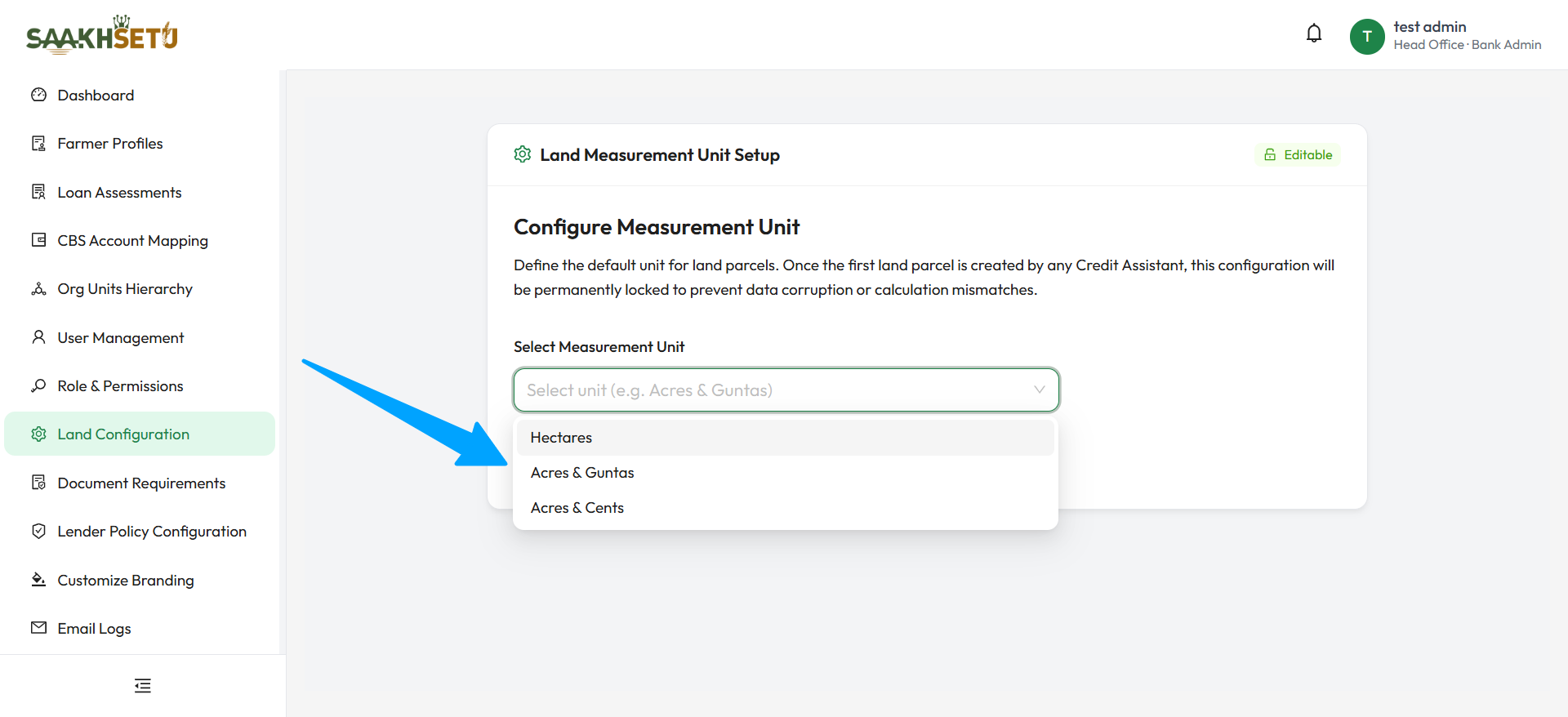
The card header shows the current state:
| Tag | Meaning |
|---|---|
| Current Unit: … | The unit currently saved. Not shown if nothing has been saved yet |
| Editable | No land parcel exists yet, so the unit can still be changed |
| Locked | A land parcel exists, so the unit is permanent. A Configuration Locked warning explains this |
Set the unit
- Open Land Configuration.
- In Select Measurement Unit, choose your bank's unit.
- Select Save Configuration. You see Land measurement unit configured successfully. and the Current Unit tag updates.
| Field | Required | Options | Notes |
|---|---|---|---|
| Select Measurement Unit | Yes | Hectares, Acres & Guntas, Acres & Cents | Disabled once the setting is locked |
Choosing the right unit
| Unit | Commonly used where land records are kept in | How it is entered |
|---|---|---|
| Hectares | Hectares (metric) | One value: Declared Area Size (Hectares) |
| Acres & Guntas | Acres and guntas, common in Maharashtra, Karnataka and Telangana (40 guntas = 1 acre) | Two whole numbers: Acres, and Guntas from 0 to 39 |
| Acres & Cents | Acres and cents, common in Andhra Pradesh, Kerala and Tamil Nadu (100 cents = 1 acre) | Two whole numbers: Acres, and Cents from 0 to 99 |
Match the land records
Choose the unit used in the land records (7/12 extracts, pattas, RoR documents) that your branches will collect. Credit Assistants can then copy areas exactly, with no manual conversion.
If the wrong unit is locked
The lock protects every saved area value and calculation from becoming inconsistent, so it cannot be lifted from the screen. Contact Arbix support.