2.1 Finding & Managing Farmers
WhoCredit Assistants, Credit Officers, all roles that view farmers
WhereSidebar › Farmer Profiles
Permissionfarmer.view or farmer.manage
Screen titleFarmer Profile Registry
The Farmer Profile Registry is where you find an existing farmer, start onboarding a new one, open a profile, and deactivate or reactivate a profile.
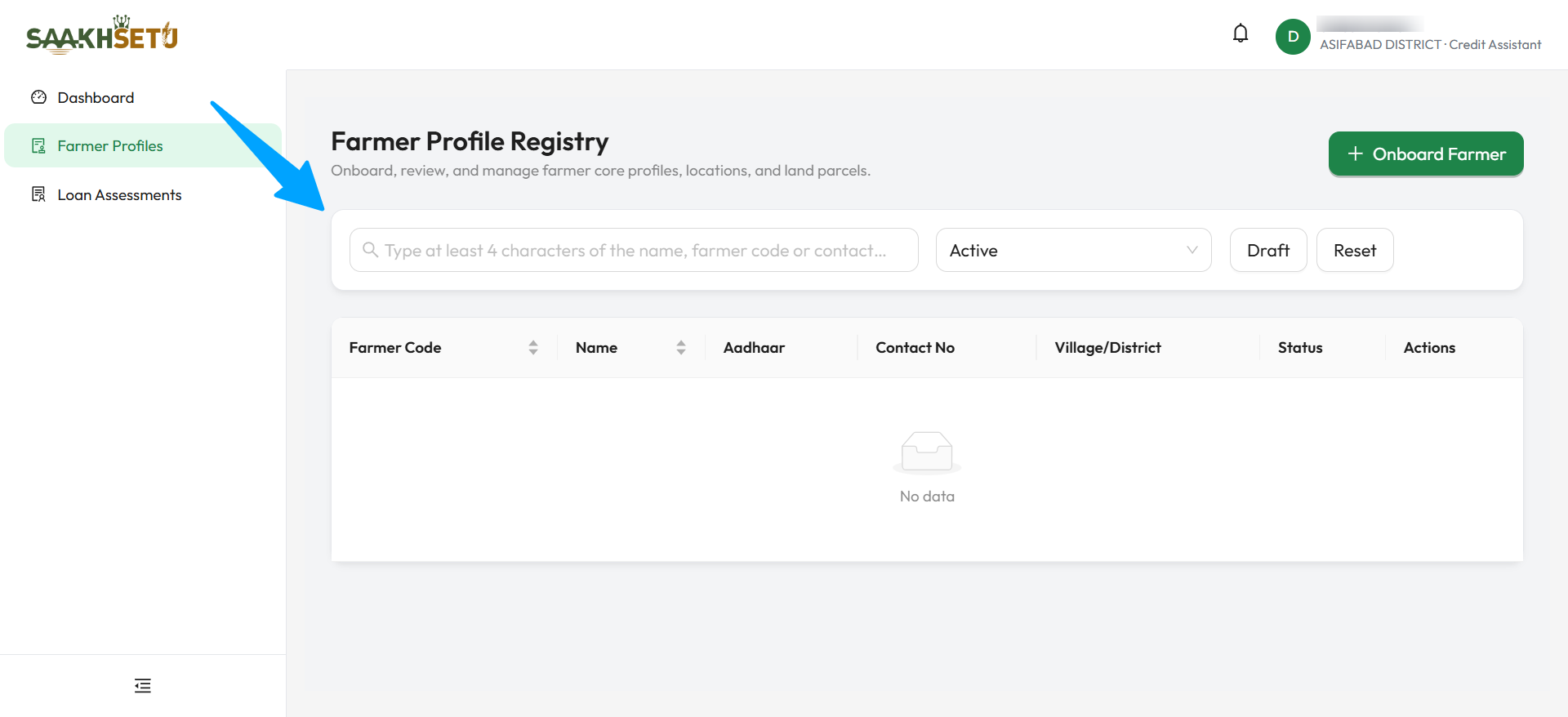
The table stays empty (No data) until you type at least 4 characters in the search box.
Search for a farmer
The list starts empty
For privacy, the registry does not list farmers until you search. Type at least 4 characters and the results appear on their own a moment after you stop typing.
- Open Farmer Profiles.
- In the search box, type at least 4 characters of the farmer's name, farmer code, contact number, or the last 4 digits of the Aadhaar number.
- Optionally, narrow the results with the status filter or the Draft button.
- Select View on a row to open the profile.
| Control | What it does |
|---|---|
| Search box | Finds farmers whose name, farmer code, contact number or Aadhaar last 4 digits contain what you typed. Shows up to 100 matches |
| Filter by Status | Active (default): completed, active profiles. Inactive: completed, deactivated profiles. All: both, but not drafts |
| Draft | Shows only profiles whose onboarding is not finished yet. You still need to search |
| Reset | Clears the search and sets the filter back to Active |
Which farmers you can find
You see farmers onboarded by staff in your own branch. Roles that manage the org hierarchy (org_unit.manage, such as Bank Admin and Organization Admin) see farmers across the whole bank.
The results table
| Column | Meaning |
|---|---|
| Farmer Code | The bank's 9-digit farmer number, for example 000000042. Shows Pending until onboarding is complete |
| Name | The farmer's full name |
| Aadhaar | Masked as xxxx-xxxx-1234. Only the last 4 digits are ever shown |
| Contact No | Primary mobile number |
| Village/District | Residential village and district |
| Status | Draft, Active or Inactive |
| Actions | The buttons described below |
The table shows 10 farmers per page, with the total count at the bottom.
Profile statuses
| Status | Meaning |
|---|---|
| Draft | Onboarding started but not finished. No farmer code yet. Cannot be used for a loan assessment |
| Active | Onboarding complete. Has a farmer code. Can be edited and assessed |
| Inactive | Deactivated by an authorised user. Read-only until reactivated |
Row actions
| Button | Shown when | What it does |
|---|---|---|
| View | Always | Opens the full farmer profile. See 2.3 Core Profile |
| Edit | You have farmer.update and the profile is active |
Opens the onboarding wizard with the saved details. Also used to resume a draft. See 2.2 Onboarding |
| Deactivate | You have farmer.manage and the profile is active |
Deactivates the profile, with a mandatory reason |
| Reactivate | You have farmer.manage and the profile is inactive |
Makes the profile active again |
Deactivate a profile
Use this when a profile should no longer be used, for example a duplicate registration or a farmer who has stopped farming.
- Find the farmer and select Deactivate.
- In Confirm Deactivate Farmer Profile, explain why in the text box. A reason is mandatory.
- Select Deactivate. You see Farmer profile deactivated.
| Field | Required | What to enter |
|---|---|---|
| Reason (text box) | Yes | A clear explanation, e.g. Duplicate registration of farmer code 000000042 |
What happens next:
- The profile shows Inactive, and the reason appears in a red Profile Inactive banner on the profile.
- The profile becomes read-only: it cannot be edited, and family, household, farming-history and other changes are disabled.
- It is hidden from the default Active list. Use the Inactive filter to find it.
- The reason, the date and the person who deactivated it are recorded.
Reactivate a profile
- Set the filter to Inactive and search for the farmer.
- Select Reactivate, then confirm with Reactivate in Reactivate profile?.
- You see Farmer profile reactivated. The profile is active and editable again.
Avoid duplicates
Always search by the Aadhaar last 4 digits and the mobile number before onboarding a new farmer. SaakhSetu blocks a second profile with the same Aadhaar number anywhere in the bank, but searching first saves time.