1.11 Email Logs
WhoBank Admin, Organization Admin
WhereSidebar › Email Logs
Permissionemail_log.view
Read-onlyYes. Nothing can be changed or re-sent here
Email Logs is a delivery record of the system emails SaakhSetu has sent to your bank's users: invitations, login OTPs and password resets. Use it when someone says "I never got the email". It tells you whether SaakhSetu sent the email and whether the email provider accepted it.
What the log does not show
The log records delivery details only: who, when, what kind of email and the result. It does not show the email's content, so OTP codes and links are never visible here.
The screen
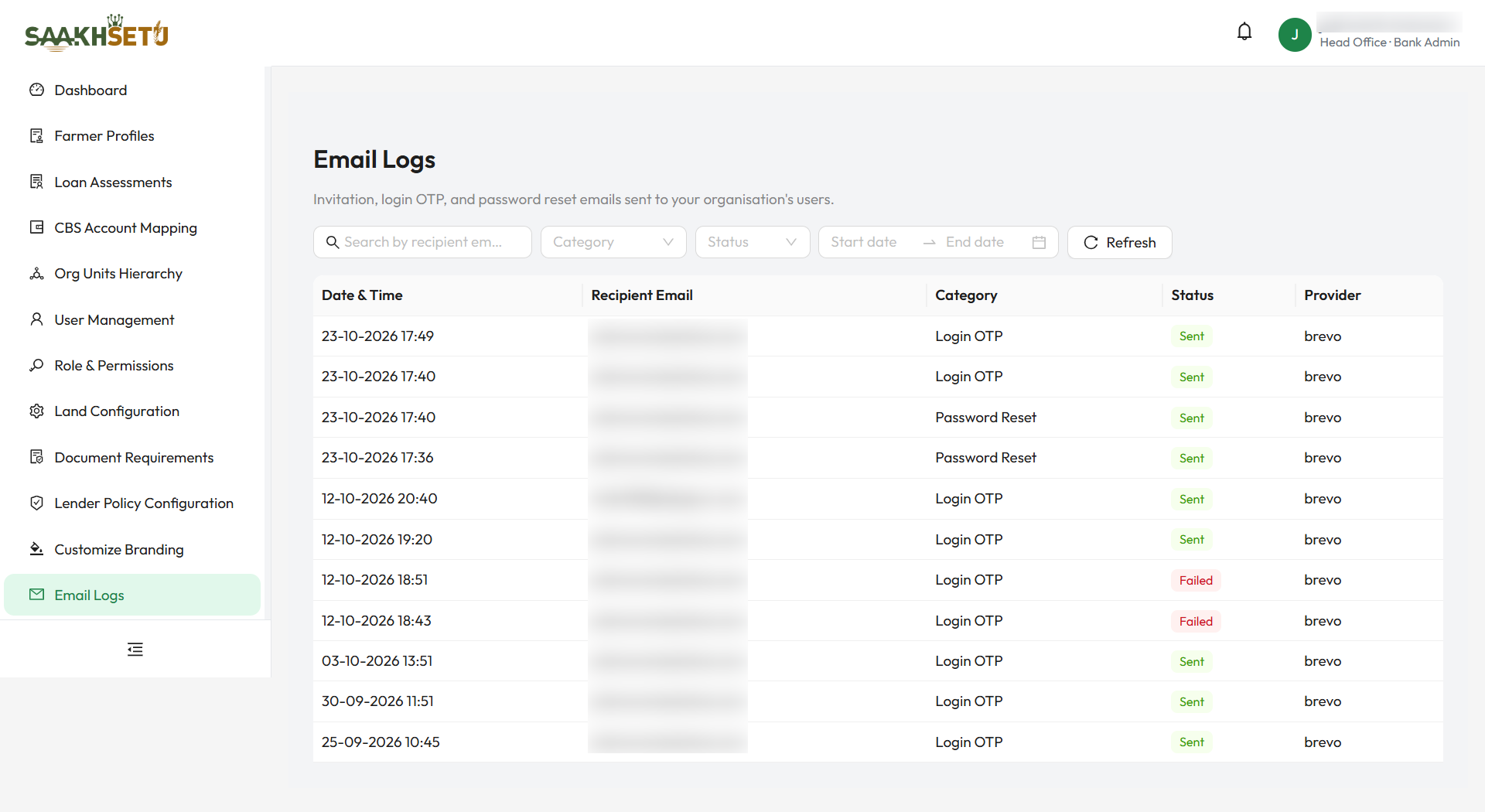
Filters
| Filter | What it does |
|---|---|
| Search by recipient email | Shows emails sent to addresses containing what you type. The list updates shortly after you stop typing, or straight away when you press Enter |
| Category | Invitation, Login OTP or Password Reset |
| Status | Sent or Failed |
| Date range | From and to dates (DD-MM-YYYY). Future dates cannot be chosen |
| Refresh | Reloads the list with the current filters |
Table
| Column | Meaning |
|---|---|
| Date & Time | When SaakhSetu sent the email |
| Recipient Email | Who it was sent to |
| Category | Invitation, Login OTP or Password Reset |
| Status | Sent: the email provider accepted it. Failed: the provider could not accept it |
| Provider | The email service that handled it |
The newest entries are shown first. Select Load more at the bottom to see older entries.
Troubleshooting with Email Logs
| What you find | Likely cause | What to do |
|---|---|---|
| No entry for the user | The email was never triggered. For password resets, this happens when the account is not active | Check the user's status in User Management. Resend the invite or unlock the account as needed |
| Failed | The address is wrong or the provider rejected it | Check the email address. If it is wrong, see Email address is permanent |
| Sent, but the user has no email | Held by the recipient's mail system | Ask the user to check spam or junk folders. Ask your IT team to allow emails from SaakhSetu |
| Several Sent OTPs in a row | The user signed in several times | Only the latest code works. Ask them to use the newest email |